Transcribe anything playing on your Mac.
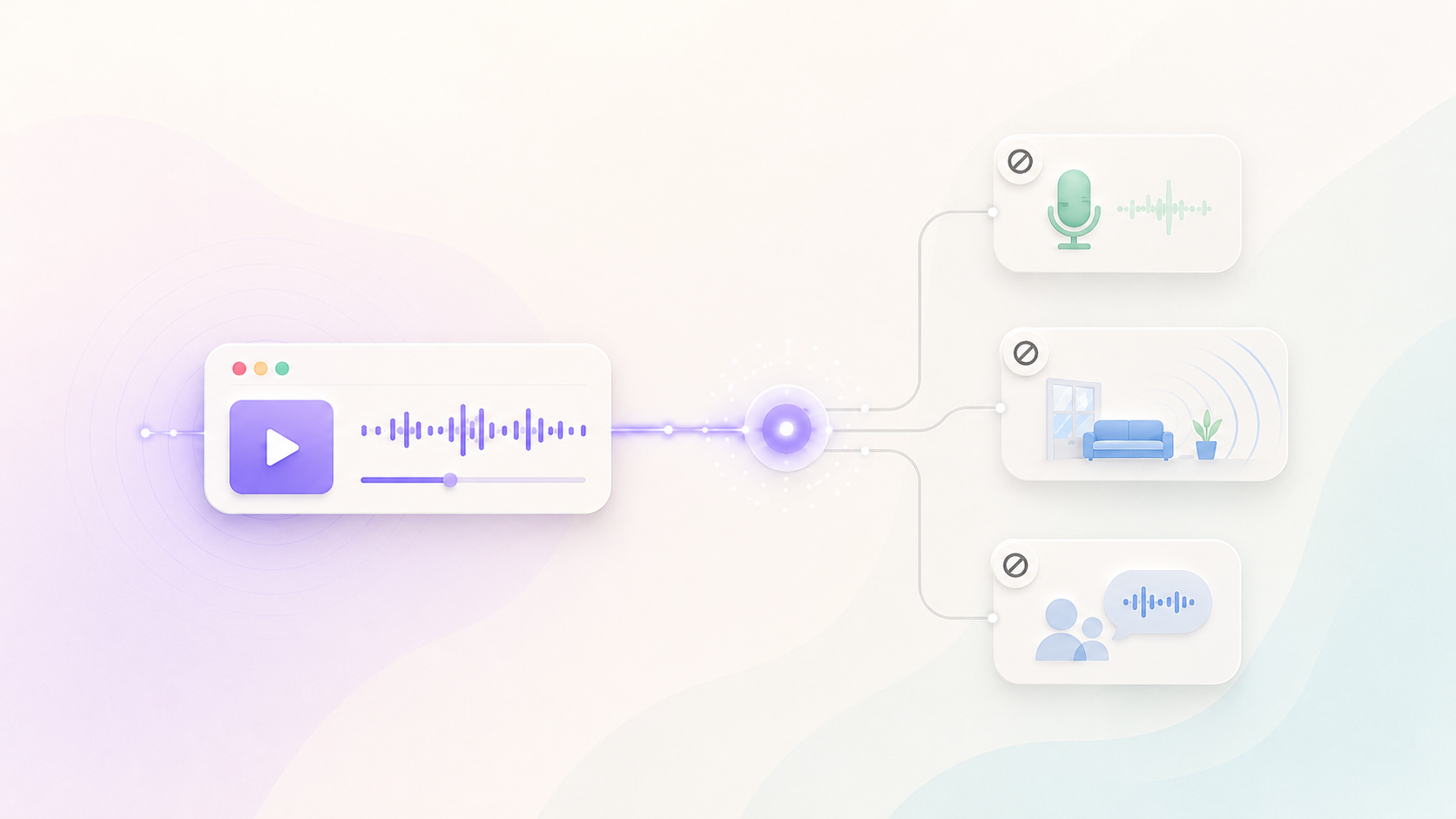
Media Taker captures your Mac's audio and leaves your microphone off, so whatever you're playing becomes a clean, searchable transcript. Talk over it all you like. It only captures the source.
Free for macOS · no card
Captures
Whatever's playing on your Mac
Only the source. Your voice and the room stay out of it.
- Your microphone
- The room around you
- Your side comments
For everything worth keeping a record of.
A talk you can't rewind, an episode you'll want to quote later, a call you're playing back. Any of it becomes text you can search.
Lectures & webinars
Follow along without scrambling to write. The full talk is waiting for you as notes.
Podcasts & interviews
Turn an episode into a searchable transcript you can pull quotes and ideas from.
YouTube & videos
Capture a tutorial or talk playing on your Mac and keep the parts that matter.
A call you're playing back
Replay a recording and let Media Taker transcribe the audio as it plays.
How Media Taker works
- 1
Play the audio
Start whatever you're listening to and let it play.
- 2
It captures the source
Media Taker transcribes the system audio only and leaves your microphone off, so your voice never lands in it.
- 3
Keep it, search it
The transcript joins your private memory. Ask Nod across everything you've captured, in your language.
No bot joins
Nod listens through your Mac. Nothing new shows up in anyone's call.
Audio is never stored
Transcribed in the EU, then discarded. Notes are encrypted; your data never trains a model.
Works on day one
A Mac and any Google account is all it takes. 14-day free trial, no card.
Media Taker questions
Will it pick up my voice or the room?
No. Media Taker captures only system audio. Your microphone stays off, so your comments and the room around you never land in the transcript.
Can I transcribe a live meeting I'm in?
Media Taker captures the audio playing on your Mac. For a live meeting where you want your side of the conversation too, use Meeting Notes.
Where does the audio go?
Never stored. Capture runs on your Mac; transcription happens in the EU and the audio is discarded immediately. Transcripts live encrypted in the EU, and your data never trains a model.
Which languages does it handle?
14, including Serbian. A talk in another language comes back transcribed, and you can ask Nod about it in yours.
Let's get started
Start for free. No credit card required.