Find the right meeting
Search titles and summaries by customer, project, topic, decision, or anything else you remember.

Nod + ChatGPT
The read-only Nod plugin is built to search meetings, open summaries, and read transcripts after directory approval. It requests one permission: read your meetings. Nothing more.
The plugin is ready and awaiting publication in the Plugins Directory. Installation opens as soon as the listing is live.
How it works
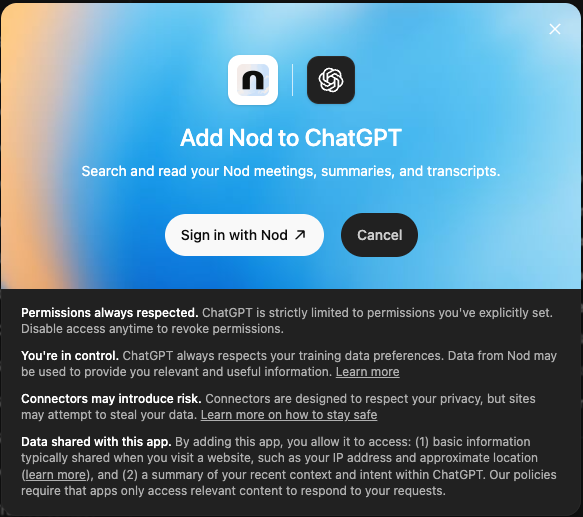
After directory approval, there is no token to copy and no custom URL to manage. The plugin uses the same Nod account you already use on your Mac.
Nod turns meetings, calls, and voice notes into searchable summaries and transcripts. No bot joins the conversation, and the audio is never stored.
When the public listing opens, add Nod, choose Sign in with Nod, and approve the single read-only meetings:read permission.
Search for a meeting, open its summary or transcript, and combine what was said across the conversations you choose.
What you can do
Search titles and summaries by customer, project, topic, decision, or anything else you remember.
Open a read-only browser for recent meetings, voice notes, and media transcripts without leaving ChatGPT.
Pull a meeting's date, summary, and transcript, then continue through longer transcripts page by page.
Turn a long call into the decisions, objections, owners, and next steps you actually need now.
Line up multiple meetings to spot changed requirements, repeated concerns, and commitments that drifted.
Use retrieved meeting context to draft a follow-up, brief, agenda, or task list. Nothing is sent for you.
Try asking
Read-only by design
The grant carries only meetings:read. The plugin cannot create, edit, or delete meetings, send messages, make tasks, or change anything in your Nod account.
You stay in control
Access is tied to your Nod account and filtered to your own data. Review or revoke the grant at any time; reconnecting requires your approval again.
Manage authorized appsAsk Nod works inside the Mac app with no setup. The Claude connector brings the same read-only meeting memory into Claude. Choose the assistant that fits the work in front of you.
Nod never shares a meeting with ChatGPT until the listing is available, you install the plugin, authorize access, and ask ChatGPT to use it.
Start free on macOS, no card. Every conversation you capture today is one you can still ask about a year from now.